MikroTik RouterOS Vulnerability 2026: Upgrade and Security Audit in Production
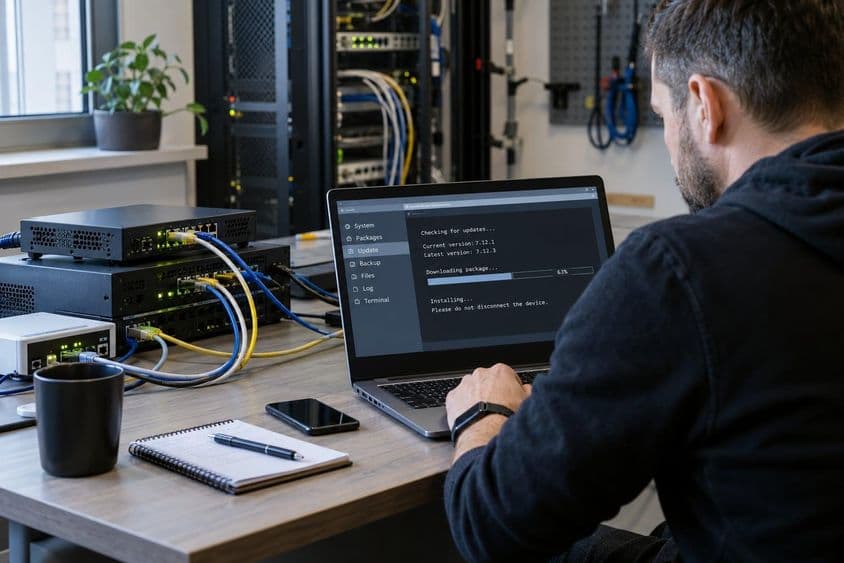
MikroTik published an important RouterOS security update in early September 2026. Rather than treating it as a routine package upgrade, we combined the maintenance with a post-upgrade security review across different types of production RouterOS systems.
The practical conclusion was simple: upgrading RouterOS is only the first step. A security maintenance window is also an opportunity to verify Device Mode Flagged status, inspect users and automation, review management services, validate the WAN firewall and ensure that RouterBOARD firmware is current.
The original Hungarian-language field report is available here.
For related MikroTik deployment and management work, see our MikroTik and WireGuard services.
What MikroTik announced in September 2026
On September 3, 2026, MikroTik published an important security advisory for RouterOS and released fixed builds across its supported release channels.
The vendor stated that most configurations are not at immediate risk, but strongly recommended upgrading. MikroTik deliberately withheld the complete technical description at the time of the initial advisory in order to give operators time to patch their systems before detailed exploitation information became widely available.
The advisory also introduced an important post-upgrade operational check: current RouterOS versions can examine the device for configuration indicators associated with possible compromise and place the router into a Flagged state if suspicious conditions are detected.
Which RouterOS versions contain the security fix?
According to MikroTik's official September 2026 advisory, the security correction is included from RouterOS 7.25 beta 3 on the development branch, 7.24.2 on stable, 7.23.4 on long-term and 6.49.21 on RouterOS 6.
Administrators using the long-term branch should pay attention to one additional release. RouterOS 7.23.4 contained the security update, but RouterOS 7.23.5 followed on September 4 after an urgent IPv6 DHCP regression was identified in 7.23.4.
For a long-term installation being upgraded now, 7.23.5 is therefore the practical target rather than stopping at 7.23.4.
- RouterOS 7 development: 7.25 beta 3 or newer
- RouterOS 7 stable: 7.24.2 or newer
- RouterOS 7 long-term: 7.23.4 or newer
- RouterOS 6: 6.49.21 or newer
- Current long-term target at publication time: 7.23.5
Independent researchers have already started reversing the patch
Although MikroTik has not yet published the complete technical vulnerability description, the fixed RouterOS binaries are publicly available. This naturally allows independent security researchers to compare vulnerable and patched builds.
On September 4, security researcher Nick Pratley published a reverse-engineering analysis comparing RouterOS 7.23.3 and 7.23.4. The investigation examined security-relevant changes around SSH and RSA handling as well as a TFTP-related component and explored a possible attack chain under specific conditions.
This research provides useful technical context, but it is important to distinguish independent reverse engineering from MikroTik's eventual official vulnerability documentation. The precise exploitation conditions and scope should not be overstated while analysis is still developing.
Separate confirmed facts from developing security research
Fast-moving vulnerability disclosures often combine vendor-confirmed information, independently reproduced research and early hypotheses. Those are not the same category of evidence.
MikroTik has confirmed that a significant RouterOS vulnerability exists, has identified the fixed releases and strongly recommends upgrading. Independent researchers have subsequently published more detailed technical findings by analysing the patched binaries.
For production operations, however, the decision does not depend on resolving every technical debate first: a supported fixed RouterOS version should be installed.
- Vendor-confirmed facts should be treated as the baseline.
- Independent research can add valuable technical detail.
- Unverified exploitation claims should not be presented as established fact.
- The security update should not be postponed while waiting for the final public write-up.
Back up the router before upgrading
A security update is still a production change. Before modifying RouterOS, create both a readable configuration export and a RouterOS system backup.
The export is useful for reviewing interfaces, addresses, routes, firewall rules, VPN configuration, services and scripts. A binary backup serves a different purpose and can be useful during device recovery.
For important infrastructure, backup files should also be copied away from the router rather than remaining only on its local flash storage.
/export file=before-security-update
/system backup save name=before-security-update
Small-flash MikroTik devices require extra care
Older MikroTik hardware can have extremely limited flash storage. Devices with only 16 MB of flash are still commonly found in production and branch-network environments.
On these systems, checking free space before downloading a new RouterOS package is especially important. Old backup files, exports and additional packages can consume storage that would be irrelevant on a modern RouterBOARD but significant on a 16 MB device.
A low-storage MikroTik should therefore not be upgraded blindly. Verify resources, installed packages and stored files first.
/system resource print/system package print/file printRefresh the update information explicitly
The configured RouterOS update channel and current available release can be refreshed manually. This is preferable during a security maintenance window to relying on update information that may have been retrieved previously.
In production maintenance we have seen a device initially report an older latest-version value until a fresh check-for-updates request was made. After the explicit refresh, the current long-term release was displayed correctly.
/system package update check-for-updateschannel: long-term
installed-version: 7.x.x
latest-version: 7.23.5
status: New version is availableInstall the RouterOS security update
After backups and pre-upgrade checks are complete, RouterOS can download and install the current release. The router will reboot during this procedure.
An SSH session therefore disconnecting during the installation is expected behavior rather than evidence that the upgrade failed.
After the device returns, verify the running RouterOS version directly.
/system package update install/system resource printversion: 7.23.5 (long-term)Check the RouterOS Flagged status after the upgrade
The Device Mode Flagged state is one of the most important checks associated with the September 2026 security update.
A normal result is flagged: no. That is reassuring, but it should not be interpreted as a complete forensic clearance. MikroTik also recommends reviewing the configuration for unknown users, scripts and other elements that the administrator does not recognise.
/system device-mode printflagged: noWhat if the router reports flagged=yes?
A router that reports flagged: yes should not simply have the flag cleared and be returned to service without investigation.
MikroTik's Device Mode guidance treats the condition as an indication that the device may have been compromised. The appropriate response is a configuration audit followed by credential review and remediation as required.
flagged: yes- Review all configured users.
- Inspect RouterOS scripts.
- Inspect Scheduler entries.
- Review Netwatch configuration.
- Audit management services.
- Review firewall and VPN configuration.
- Investigate unexplained routes or other configuration changes.
- Rotate administrative credentials after the investigation where appropriate.
Audit configured users
Unknown administrative accounts are an obvious warning sign. Review the RouterOS user database and confirm that every account is expected and its privilege level is appropriate.
/user print- Look for unknown users.
- Look for unexpected full-privilege accounts.
- Investigate any account whose origin cannot be explained.
Review RouterOS scripts
Scripts are not inherently suspicious. Legitimate RouterOS installations often use them for failover, automation, monitoring or maintenance.
The security question is whether every script on the router can be identified and explained by the administrator.
/system script print detailReview Scheduler and Netwatch
RouterOS Scheduler can execute commands or scripts automatically, while Netwatch can run actions in response to network state changes. Both are useful administration features and both should be included in a compromise review.
/system scheduler print detail/tool netwatch print detailReview security-relevant RouterOS logs
A first-pass log review can focus on critical, error, warning, account and system topics. Administrators should look for unexpected management logins, newly created users, unexplained configuration changes and Flagged-related events.
The topic severity alone should not be treated as proof of compromise. For example, a system-clock correction immediately after boot can also appear under a critical topic. The actual message content and surrounding events matter.
/log print where topics~"critical|error|warning|account|system"Review enabled RouterOS services
One of the fastest ways to reduce unnecessary attack surface is to review the RouterOS IP services table.
SSH and WinBox may be required for administration. Telnet, FTP, HTTP, API or other services may not be. The correct set depends on the environment, but unnecessary management services should generally not remain enabled.
/ip service print- SSH
- Telnet
- FTP
- HTTP and HTTPS management
- WinBox
- API and API-SSL
- Reverse proxy
Do not disable an unfamiliar service blindly
Security hardening should not create a production outage. If an enabled service is unfamiliar, determine whether anything actually depends on it before disabling it.
RouterOS reverse proxy is a useful example. Its configuration and active service state can be inspected separately. If no proxy backend or rule exists and operational checks show no dependency, the unnecessary service can then be disabled deliberately.
The broader rule is more important than the specific feature: verify first, change second.
/ip reverse-proxy print detail/ip service print detail where name="reverse-proxy"Restrict SSH and WinBox to management networks
Where SSH or WinBox is required, management access should normally be limited to explicitly trusted networks, a dedicated administration segment or a management VPN.
Service-level source restrictions are useful defence in depth, but they do not replace an appropriate RouterOS input firewall.
Verify the WAN firewall instead of assuming it works
A firewall rule can look correct in a configuration export while still being associated with the wrong interface or receiving no traffic.
Review the input chain and, where bridging is involved, confirm the actual bridge membership of the relevant physical interfaces.
Firewall rule counters are especially useful. If a WAN drop rule's packet count increases, that provides operational evidence that the rule is genuinely receiving and dropping unwanted traffic.
/ip firewall filter print detail where chain=input/interface bridge port print detail/ip firewall filter print stats detail where chain=inputDo not redesign a working complex network during a security check
Multi-WAN routing, multiple public address ranges and specialised RouterOS configurations can be difficult to reproduce accurately. A vulnerability audit should not automatically become a network redesign.
If a complex configuration is known, intentional and operating correctly, begin with read-only verification. Confirm interface membership, routes, firewall behavior and counters before modifying production routing or bridging.
The goal of security maintenance is to reduce risk, not to introduce an avoidable outage.
RouterBOARD firmware is a separate upgrade step
Updating RouterOS does not necessarily mean that the RouterBOOT firmware currently running on the RouterBOARD has also been upgraded.
After the RouterOS installation, inspect the RouterBOARD firmware versions. If current-firmware is older than upgrade-firmware, apply the firmware upgrade and reboot the device.
After the reboot, current-firmware and upgrade-firmware should match.
/system routerboard print/system routerboard upgrade
/system reboot/system routerboard printWhat we observed during production upgrades
We applied the update process across multiple MikroTik systems representing different generations and operational roles.
The environment included modern RouterBOARD hardware, older low-flash devices, VPN connectivity, multi-WAN routing, public-facing addressing, monitoring integrations and multiple LAN segments.
The fixed long-term RouterOS release installed successfully across the systems tested. Post-upgrade checks did not reveal indicators of compromise.
The audit did, however, identify opportunities to reduce unnecessary attack surface by reviewing unused services and validating management exposure. That is one of the practical benefits of combining a security update with a short configuration audit.
A practical RouterOS post-upgrade checklist
This is not a complete incident-response methodology, but it is a useful operational baseline after the September 2026 RouterOS security update.
- Verify the RouterOS version.
- Verify RouterBOARD firmware.
- Check Device Mode flagged status.
- Review configured users.
- Review scripts.
- Review Scheduler.
- Review Netwatch.
- Review active IP services.
- Check SSH and WinBox source restrictions.
- Review the input firewall.
- Verify WAN drop behavior.
- Inspect important firewall rule counters.
- Check free flash space on older devices.
Should you upgrade if management is not exposed to the Internet?
Yes. The public information available at the time of writing does not justify skipping the security update based on a single assumed attack surface.
MikroTik states that most configurations are not at immediate risk but still strongly recommends upgrading. Independent research is exploring specific patched components and exploitation conditions, while the vendor has not yet released its final technical description.
The appropriate production decision is therefore to run a fixed and supported RouterOS release.
Conclusion
The September 2026 MikroTik RouterOS vulnerability should not cause panic, but it should not be treated as an ordinary minor update either.
For long-term RouterOS installations, 7.23.5 is the sensible target at the time of publication: 7.23.4 already contained the security fix, while 7.23.5 also corrected the urgent IPv6 DHCP regression introduced in that release.
After upgrading, administrators should verify Flagged status, audit the configuration, review management exposure, validate the WAN firewall and apply the current RouterBOARD firmware.
The vulnerability picture will continue to develop as MikroTik publishes further technical information and independent researchers continue analysing the patches. Until then, the operational priorities are clear: patch first, verify afterwards and remove unnecessary attack surface.
Official documentation and technical references
- MikroTik – September 2026 vulnerability
- MikroTik – RouterOS 7.23.5 long-term release
- Nick Pratley – Reversing MikroTik's Silent Patch: The RouterOS 7.23.4 Fix They Wouldn't Explain
- MikroTik – RouterOS 7.23.4 long-term release
- MikroTik Community Forum – Important security update
- MikroTik Documentation – Device Mode
- MikroTik Documentation – RouterBOARD